
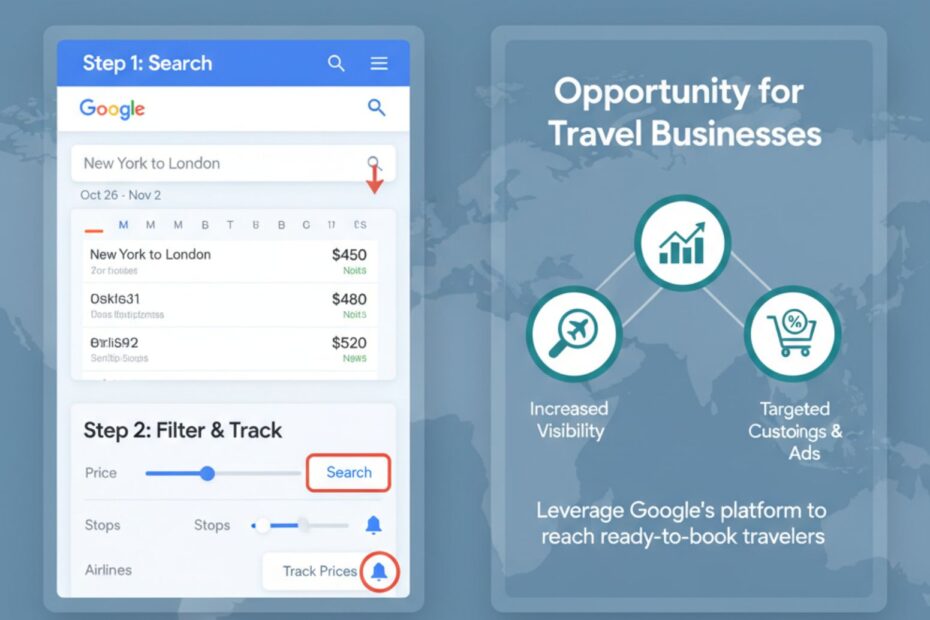
Have you ever dreamed of flying to a cool new place but felt your wallet getting nervous? Finding cheap flights can feel like searching for a hidden treasure. But what if I told you there’s a map? Google Flights is that map, and it’s a total game-changer for anyone who loves to travel. It helps you find amazing flight deals without all the stress.
Whether you’re planning a family vacation, a solo adventure, or even trying to grow your travel business, this guide has something for you. We’ll walk you through everything, from the basics to secret tips that will make you a flight-booking pro. Get ready to learn how to find the cheapest flights and explore the world like never before.
What is Google Flights and How Does It Work?
So, what’s all the fuss about? Think of Google Flights as your super-smart travel assistant. It’s a flight search tool that scans hundreds of airlines and travel websites in seconds to show you the best options for your trip. It’s not a travel agency, so you don’t book directly with Google. Instead, it finds the deals and sends you to the airline or booking site to buy your ticket.
Key Features That Make It Unique
What makes this tool stand out from the crowd? It’s packed with cool features designed to save you time and money.
- Price Graph: See how flight prices change over a week or month, so you can pick the cheapest days to fly.
- Date Grid: Compare prices in a simple calendar view.
- Price Tracking: Get email alerts when the price for your chosen trip goes up or down.
- Explore Map: Feeling spontaneous? This feature shows you cheap flights to destinations all over the world from your home airport.
- Multi-City Bookings: Easily plan complex trips with stops in several cities.
These features make it an incredibly powerful tool for both casual travelers and serious globetrotters.
How Does It Compare to Other Flight Search Tools?
You might have heard of other sites like Kayak or Skyscanner. While they are also great, Google Flights has a few advantages. Its interface is clean and incredibly fast, showing you results almost instantly. The Explore Map is a unique feature that inspires travel by showing you what’s possible within your budget.
While other tools might pull in more budget airlines from time to time, the sheer speed and user-friendly design of Google’s platform often make it the first stop for finding cheap airfare. It simplifies the entire flight search process, making it less of a chore and more of an adventure.
Search Engine Optimization Services
A Step-by-Step Guide to Using Google Flights
Ready to find your next flight? Let’s walk through how to use Google Flights step-by-step. It’s so easy, you’ll wonder how you ever planned trips without it.
How to Access Google Flights
Getting started is simple. Just open your web browser and go to google.com/flights or search for “Google Flights.” That’s it! No app to download, no account needed to start searching.
How to Search for Flights: A Beginner’s Guide
Once you’re on the homepage, you’ll see a simple search box.
- Enter Your Route: Type in where you’re flying from and where you want to go. You can use city names or airport codes (like “NYC” for New York or “LAX” for Los Angeles).
- Choose Your Dates: Click the date fields to open a calendar. You’ll see prices for different days, helping you spot cheaper options right away.
- Select Passengers: Choose how many adults, children, or infants are traveling.
- Hit Search: Click the search button and watch the magic happen. In a flash, you’ll see a list of the best flights available.
How to Use Filters to Customize Your Search
Now for the fun part. Google lets you narrow down your options with handy filters. You can find these just below the date fields.
- Stops: Choose nonstop, one stop, or any number of stops.
- Airlines: Stick to your favorite airline or alliance.
- Bags: Specify if you need to bring a carry-on bag to avoid surprise fees.
- Times: Pick departure and arrival times that fit your schedule.
- Carbon Emissions: For eco-friendly travel, you can even filter for flights with lower emissions.
Using these filters helps you find the perfect flight that balances price, convenience, and your personal preferences.
How to Use the Explore Tool for Flexible Travel Plans
This is one of the most exciting features. If you know you want to travel but aren’t sure where, the Explore tool is your best friend. Click on the “Explore” link on the left-hand menu. The map will show your home airport and display flight prices to cities all around the globe.
You can drag the map, zoom in on a region, or use filters like “a week-long trip in December” to see what’s available. It’s a fantastic way to discover new places and snag amazing deals.
How to Book Multi-City Trips
Planning a European tour or a trip with multiple stops? The “Multi-city” tab is what you need. Instead of searching for several one-way tickets, you can input each leg of your journey here. For example, you can search for a flight from New York to London, then London to Paris, and finally Paris back to New York, all in one go. The tool will find the most efficient and cost-effective itinerary for you.
How to Set Up Price Alerts and Track Flight Prices
Found a flight you like but aren’t ready to book? Let Google watch it for you. After searching for a specific route, look for the “Track prices” toggle. Switch it on, and Google will send you an email if the price for your trip changes. This is a brilliant way to make sure you book when the price is at its lowest.
Advanced Tips and Tricks for Travelers
You’ve mastered the basics. Now, let’s dive into some pro tips that will turn you into a flight-booking wizard. These tricks will help you save even more money and travel smarter.
How to Use Google Flights for Last-Minute Travel Deals
Need a spontaneous getaway? The Explore map is perfect for finding last-minute deals. Leave the destination blank and select “Flexible dates” or choose a specific weekend. The map will light up with affordable options, helping you find an impromptu adventure without breaking the bank.
How to Find the Best Time to Book Flights
Timing is everything when it comes to booking flights. The price graph is your secret weapon here. When you select your dates, the graph shows you the price trends. Additionally, for many popular routes, Google will show you a small box with price insights, telling you if the current price is low, average, or high. It might even tell you that waiting a few weeks could save you money.
How to Save Money with the Price Graph and Date Grid
Always check the Price Graph and Date Grid before you book. By clicking on the calendar, you can instantly see which days are the cheapest to fly. Often, shifting your trip by just a day or two can save you a hundred dollars or more. Flying mid-week (Tuesday or Wednesday) is almost always cheaper than flying on a Friday or Sunday.
How to Use It for Eco-Friendly Travel
If you’re conscious about your carbon footprint, you can use the carbon emissions filter to find more sustainable flight options. Google shows the estimated CO2 emissions for each flight and highlights lower-emission choices. This allows you to make an informed decision that’s better for the planet.
How to Use It for Group and Family Travel
While you should search for one passenger to find the lowest base fare, the tool is still great for groups. Once you find the best flight, you can go to the airline’s website and see if the price holds for multiple tickets. The flexible date and time filters are also perfect for coordinating travel plans with family and friends.
Opportunities for Travel Businesses
This powerful search engine isn’t just for travelers. If you run a travel business, like an Online Travel Agency (OTA) or a travel agency, it can be a goldmine for leads and bookings.
How Travel Businesses Can Leverage Google Flights for Visibility
Because Google pulls flight data from hundreds of partners, it’s a huge opportunity to get your offers in front of millions of people. If you’re an OTA, having your prices listed gives you a direct line to customers who are ready to book. It’s all about offering competitive pricing on popular routes.
How to Optimize Listings for Competitive Pricing
To stand out, your pricing needs to be sharp. Use the tool to research what your competitors are charging for similar routes. If you can offer a better price, even by a small margin, you’re more likely to attract clicks. Also, ensure your data feed to Google is accurate and up-to-date so customers see the correct prices.
How to Use It to Attract Budget-Conscious Travelers
Many users are looking for the best deal. By focusing on budget-friendly destinations and off-season travel packages, you can use Google Flights to capture this audience. The Explore feature can guide travelers to your deals if they are looking for inspiration without a fixed destination.
Unique Use Cases for Google Flights
Think you’ve seen it all? Here are a few more creative ways to use this amazing tool.
How to Use It for Round-the-World Trips
Dreaming of a trip around the globe? The multi-city feature is perfect for this. You can piece together your entire journey, hopping from continent to continent, and find the most logical and affordable route. It takes some planning, but the tool makes it much more manageable.
How to Plan a Stopover
Want to explore a city for a day or two on your way to your final destination? Use the multi-city search to manually create a stopover. For example, if you’re flying from Chicago to Rome, you could plan a 2-day stop in Lisbon. This is a great travel hack to see two cities for the price of one flight.
How to Use It for Business Travel Planning
For business travelers, time is money. The filters for nonstop flights and specific times are perfect for finding convenient options that fit a tight schedule. Plus, business travel planners can use it to quickly compare options for entire teams.
Conclusion
From finding cheap airfare for a weekend getaway to planning a complex international trip, Google Flights has completely changed how we find and book travel. It puts incredible power at your fingertips, making travel more accessible and affordable for everyone. Its simple design and powerful features empower you to take control of your travel planning.
So next time you feel the urge to explore, remember this guide. Open up the Explore map, let your curiosity run wild, and see where your budget can take you. With a little practice, you’ll be finding unbelievable flight deals and embarking on amazing new adventures. Happy travels!
Lorem ipsum dolor sit amet, consectetur adipiscing elit. Ut elit tellus, luctus nec ullamcorper mattis, pulvinar dapibus leo.
Does Google Flights Show All Airlines?
Almost, but not all. Most major airlines are included, but a few, like Southwest in the U.S., choose not to list their fares on the platform. It’s always a good idea to check an airline’s website directly if you don’t see it listed.
How Accurate Are Google Flights Prices?
The prices are usually very accurate, as they are pulled in real-time. However, airfare can change in the blink of an eye. The price you see is what was available at that moment, and it might change slightly by the time you click through to book.
Can Travel Agents Use Google Flights for Clients?
Absolutely! Many travel agents use it as their primary research tool. It’s a fast way to compare routes, find the best connections, and build custom itineraries for clients. It’s especially useful for crafting complex multi-city trips.
What’s the Difference Between Google Flights and Booking Sites?
The key difference is that Google Flights is a search engine, not a booking site. It finds the flights for you, but you complete the purchase on the airline’s or OTA’s website. Booking sites, on the other hand, handle the transaction themselves.