
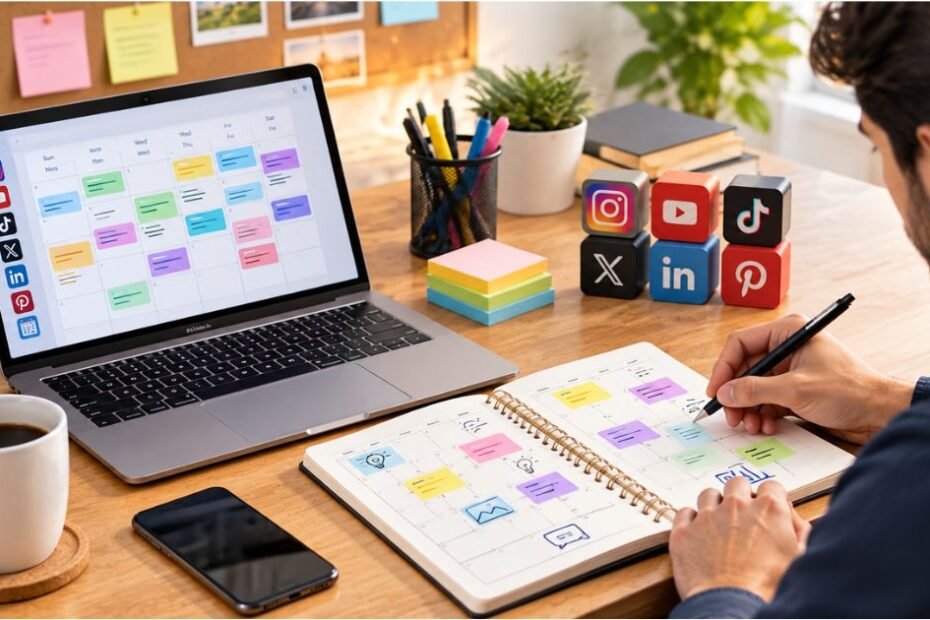
How to Create a Social Media Content Calendar? Your social media strategy lives or dies on consistency. You can have the best content in your niche, but if you post sporadically or on platforms your audience has already left you’ll never build momentum. A social media content calendar solves this. It’s the planning document that maps out what you’re posting, where, when, and why weeks or even months in advance.
A social media content calendar is a planning tool that maps out your posts across platforms weeks or months in advance. Creating one takes 5 core steps: define your content pillars (the 3–5 themes you’ll repeat), audit your platforms and audience, choose your format (spreadsheet, tool, or template), set posting frequency by platform, and batch-create and schedule content. The best calendars follow a 30–90 day planning cycle and include posts, captions, visual assets, posting times, and performance goals. You’ll save time, post consistently, stay organized with your team, and most importantly train the algorithm to expect you.
What Is a Social Media Content Calendar?
A social media content calendar is a centralized planning document that outlines every piece of content you’ll post across your social platforms over a defined period (typically 30–90 days). It’s part editorial calendar, part project management tool, part analytics dashboard.
Think of it as the “north star” for your entire social presence. Instead of winging it posting when you feel inspired or have time you’re intentional, consistent, and data-driven. Every post serves a purpose aligned with your brand’s themes and audience expectations.
Why does this matter? Three reasons:
- Consistency breeds algorithm reward. Social platforms reward accounts that post on a predictable schedule. Instagram, TikTok, LinkedIn, and Facebook all favor creators who show up regularly. You can’t game the algorithm, but you can feed it what it wants.
- Batching saves enormous time. One dedicated batching session per week creating 4 weeks of content in 2–3 hours beats scrambling daily. You’ll spend less time in creative mode and more time building your brand.
- Collaboration and analytics become possible. A shared calendar (digital or physical) keeps teams aligned, prevents duplicate posts, and gives you a clear record of what worked and what didn’t. You can measure performance against your plan.
A complete calendar includes: posting date, platform, content type (carousel, Reel, article, etc.), caption, visual asset(s), posting time, intended KPI (reach, engagement, clicks), and notes. Some teams also track hashtags, content pillars, and approver sign-offs.
Why You Need a Content Calendar (Beyond “Stay Organized”)
If you’re still posting ad-hoc, here’s what you’re leaving on the table:
Consistency compounds. The algorithm doesn’t care if today’s your busy day. It cares that yesterday you posted, and tomorrow you’ll post again. Unpredictable posting tanks reach. A calendar guarantees you won’t miss a beat, even during chaotic weeks.
Batching is a superpower. Create 4 weeks of Instagram posts in a 2-hour session. Spend 30 minutes on research or trending topics, 90 minutes creating or curating content, and you’re done. Compare that to spending 15 minutes every single day hunting for ideas. One batching day saves 4+ hours per month and eliminates decision fatigue.
You’ll see patterns in what works. A calendar becomes your performance tracker. You can map posts to engagement and clicks. Over time, you’ll notice: “Carousel posts outperform static images by 40%,” or “Thursday posts get 3x the engagement of Saturday posts on this audience.” That data only emerges if you’re intentional and measurable.
Your team stays on the same page. If you work with a graphic designer, copywriter, or social manager, a shared calendar eliminates the “did we already post about this?” headache. Approvals, revisions, and team coordination all happen before the post goes live, not after.
Real example: A small e-commerce brand started using a 30-day calendar in January 2024. They went from 3 inconsistent posts per week to 5 consistent posts per week across Instagram and TikTok. By March, their reach doubled. By June, they’d doubled their followers again. Consistency wasn’t the only factor, but it was the foundation everything else built on.
5-Step Process to Build Your Content Calendar
Step 1: Define Your Content Pillars
A content pillar is a theme or topic your audience expects from you. It’s the 3–5 buckets you’ll organize your posts into. These become your north star; they keep you from drifting into random, off-brand content.
How to pick your pillars: Think about what your audience follows you for. If you’re a fitness creator, your pillars might be:
- Workout routines
- Nutrition and meal planning
- Mindset and motivation
- Transformation stories and wins
- Community challenges
If you’re a SaaS company, your pillars might be:
- Product feature deep-dives
- Industry trends and news
- Customer success stories
- How-to guides and education
- Company culture and team
The sweet spot is 3–5 pillars. More than five, and you dilute your focus. Fewer than three, and you’re not giving your audience enough variety to stay engaged.
Pro tip: Validate your pillars with your audience. Look at which of your existing posts get the most engagement. Those themes are your winners double down on them.
Step 2: Audit Your Platforms and Audience
Not all platforms are equal, and your audience isn’t the same everywhere.
First, decide which platforms to prioritize. You don’t need to be on every social network. Pick 2–3 where your audience actually spends time. If you’re a B2B consultant, TikTok might be a waste; LinkedIn and YouTube are better bets. If you’re a visual brand (fashion, fitness, food), Instagram and TikTok are non-negotiable.
Second, understand your audience on each platform:
- Age and demographics. Instagram skews younger now (Reels compete with TikTok). LinkedIn is older, professional crowds. Facebook is even older. Pinterest is heavily female.
- Content preferences. LinkedIn users want professional insights and industry news. TikTok users want entertainment and trends. YouTube users will watch longer content. Instagram users want aspirational visuals.
- Optimal posting times. LinkedIn performance peaks Tue–Thu, 8–10 AM. Instagram peaks Wed–Thu, 11 AM–1 PM and 7–9 PM. TikTok doesn’t have strong time patterns; consistency matters more.
Audit your existing content. Look at your top 10 posts on each platform. What themes, formats, and posting times did they have? This data is gold; use it to inform your calendar.
Step 3: Choose Your Format (Spreadsheet, Tool, or Template)
Every creator has different needs. Here’s how to pick:
Google Sheets (Free, Simple)
- Best for: solopreneurs, small teams, minimal budget
- Pros: free, shareable, works on phone and desktop, no learning curve
- Cons: no native scheduling; requires copying/pasting to each platform
- Time to set up: 15 minutes
- Download a free template or create your own with columns: Date, Platform, Post Type, Caption, Image/Video Link, Posting Time, Goal/KPI, Notes
Canva Content Calendar (Free, Visual)
- Best for: visual brands, Instagram/Pinterest-heavy
- Pros: beautiful grid view, drag-and-drop, visual preview of your feed
- Cons: limited collaboration; can’t schedule directly from Canva
- Time to set up: 10 minutes (use their template)
Paid Social Scheduling Tools (Later, Buffer, CoSchedule, Hootsuite)
- Best for: teams, multi-platform posting, native scheduling
- Pros: schedule directly from the platform, analytics dashboard, collaboration features
- Cons: $10–$300+/month depending on features
- Time to set up: 30 minutes (including learning the interface)
- Entry level (best value): Buffer free plan (3 platforms, limited scheduling) or Later free plan (grid preview + scheduling for Instagram)
Hybrid Approach (Best of Both)
- Use Google Sheets or Canva to plan your content 30–90 days out
- Sync key posts to a paid tool (Buffer, Later, Meta Business Suite) 1–2 weeks before posting
- Keeps costs low but gives you professional scheduling
- Time to set up: 20 minutes
What your calendar must include, regardless of format:
- Posting date
- Platform (Instagram, TikTok, LinkedIn, etc.)
- Content type (carousel post, Reel, video, article, etc.)
- Caption or copy
- Image/video link or file
- Posting time (if scheduling in advance)
- Goal or KPI (reach 1,000 impressions, drive clicks, engagement, etc.)
- Notes (hashtags, content pillar, approver, etc.)
Step 4: Determine Posting Frequency by Platform
This is where most creators go wrong. They either post too much (burning out) or too little (the algorithm forgets them).
Platform-by-platform guidelines:
- Feed posts: 3–5 per week
- Stories: 5–7 per day (Stories are low-effort, high-visibility)
- Reels: 2–3 per week (Reels get 67% more reach than carousel posts)
- Best times: Wed–Thu, 11 AM–1 PM or 7–9 PM (US average)
- Why frequency matters: Instagram’s algorithm rewards accounts that post Reels consistently. If you go dark for a week, your reach will drop noticeably.
TikTok
- Videos: 1–5 per day (yes, daily)
- Best times: Less critical than other platforms; consistency matters more
- Why frequency matters: TikTok’s “For You Page” algorithm is unpredictable. It rewards creators who post daily because it has more data to learn from. Post once a week, and you’ll struggle to get initial traction.
- Posts: 2–3 professional posts per week
- Articles: 1 per month (if you want to establish thought leadership)
- Best times: Tue–Thu, 8–10 AM (professional audience checking in before work/after lunch)
- Why frequency matters: LinkedIn values quality over quantity. A thoughtful post twice per week will outperform five mediocre daily posts.
- Posts: 1–2 per day (businesses can post more often)
- Best times: Wed–Thu, 1–4 PM
- Why frequency matters: Facebook’s algorithm heavily prioritizes engagement. If your posts consistently get comments and shares, you can post more. If engagement is low, cut back to quality over quantity.
Twitter/X
- Tweets: 3–10 per day (depending on your niche and audience)
- Best times: Variable; but threads tend to perform well during business hours
- Why frequency matters: Twitter is fast-moving. High-frequency posting is normal and expected. The algorithm rewards activity and engagement.
- Pins: 5–10 per day (spread across 2–3 boards)
- Best times: Less critical than other platforms
- Why frequency matters: Pinterest is less of a “social” network and more of a visual search engine. Volume and variety matter. Pins stay relevant for months, not hours.
If you’re overwhelmed: Start here. Post 3 times per week across 1–2 platforms. Master consistency first, then expand. It’s better to show up twice a week reliably than to burn out and go dark for a month.
Step 5: Batch Content and Schedule
Batching is the efficiency hack that changes everything. Instead of creating one post per day (scattered, reactive), you dedicate one focused session per week to create 2–4 weeks of content.
The batching workflow:
Pick a “batch day.” Most creators pick a Sunday or Monday morning. Block 2–3 hours. This is your “content studio” time.
Do your research first (30 minutes). Look at trending sounds (for TikTok), trending hashtags (for Instagram), industry news (for LinkedIn). Grab inspiration from competitor posts and audience comments. Note 3–5 themes or ideas that resonate.
Create or curate your assets (60–90 minutes). Now you’re in “creation mode.” Shoot videos, write captions, design graphics, or curate third-party content. Batch-create multiple videos on one day (different angles, topics, or platforms). If you’re using templates, this gets faster every week.
Organize and caption (30 minutes). Fill in your calendar with the content you created. Write captions, add hashtags, note posting times and KPIs. Add alt text and descriptions for accessibility and SEO.
Schedule in your tool (15 minutes). Use Meta Business Suite (for Facebook and Instagram), TikTok Creator Studio, LinkedIn native scheduling, or a third-party tool like Buffer or Later to schedule posts. Don’t schedule everything at once; spread posts across the week.
Key insight: You’ll create 2–4 weeks of content in one focused session. That same content, created daily, would take 14–28 scattered sessions. Batching saves 80% of the mental energy and time switching.
Real timeline:
- Monday 9 AM–12 PM: Research, create, and schedule (180 minutes)
- Mon–Sun: Posts go live on their scheduled times
- Monday 9 AM–12 PM the following week: Batch again
You’re spending 3 hours per week on content creation and scheduling. Compare that to 15–30 minutes per day, every single day. Which sounds more sustainable?
Platform-Specific Content Calendar Strategies

One calendar doesn’t fit all platforms. Each has its own rhythm, audience, and algorithm. Here’s how to customize your approach:
Instagram Content Calendar
The breakdown:
- 3–4 feed posts per week
- 5 Stories per day (Stories are essential; they keep your audience engaged between feed posts)
- 2–3 Reels per week (Reels get 67% higher engagement than carousel posts and are Instagram’s primary push)
- 1 carousel post per week (educational, high-engagement format)
Content mix:
- 50% educational or valuable (tips, how-tos, advice)
- 30% entertaining or aspirational (beautiful visuals, humor, trends)
- 20% sales or promotional (product launches, discounts, calls-to-action)
Optimal posting times (US average):
- Feed posts: Wed–Thu, 11 AM–1 PM or 7–9 PM
- Reels: Wed–Thu, 9–11 AM (early engagement)
- Stories: Spread throughout the day (morning, lunch, evening)
Calendar tip: Plan Reels as your “anchor” content each week. They drive to reach. Complement with carousel posts and Stories to keep your audience engaged throughout the week.
Real example: A fitness creator posts a Reel on Tuesday (workout demo), a carousel on Thursday (nutrition breakdown), and Stories daily (behind-the-scenes, poll stickers, Q&A). This mix keeps followers engaged across three different content types and gives the algorithm constant data on what works.
TikTok Content Calendar
The breakdown:
- 1–5 videos per day (consistency is critical on TikTok)
- No “optimal posting time” (the algorithm doesn’t care when you post; it cares that you post)
Why daily posting matters on TikTok:
TikTok’s algorithm is different from Instagram. It starts by showing every new video to a small test audience (~1,000 views). If that audience engages (watches most of it, likes, comments, shares), TikTok pushes it to a bigger audience. If engagement is low, the video dies.
Posting daily gives TikTok more data to work with. Three videos will get three chances at viral moments. One video per week is just one shot.
Content strategy:
- 60% trending/entertainment (sounds, challenges, trends that are hot now)
- 30% niche-specific education (your expertise angle)
- 10% personal/behind-the-scenes (relatability, building parasocial connection)
Calendar tip: TikTok moves fast. Don’t over-plan 90 days in advance. Plan 2–4 weeks of “evergreen” content (your core expertise), then leave room for trending sounds and real-time content. If a sound trends and it fits your niche, jump on it even if it wasn’t in your calendar.
Real example: A productivity creator posts 3 videos per day: morning (quick productivity tip), afternoon (responding to trend or comment), evening (behind-the-scenes or personal). Batching still happens (shoot 15 videos on Sunday, upload them Mon–Fri), but publishing stays daily.
LinkedIn Content Calendar
The breakdown:
- 2–3 professional posts per week
- 1 long-form article per month (posts perform better, but articles establish authority)
- Comments and engagement daily (spend 10 minutes daily on your network)
Content mix:
- 40% industry insights, trends, or news (thought leadership)
- 30% personal branding or professional wins (your journey, lessons learned)
- 20% company or client success stories (social proof)
- 10% educational (tips, how-tos, frameworks)
Optimal posting times (US average):
- Tue–Thu, 8–10 AM (professionals checking LinkedIn before work)
- Or 12–1 PM (lunch break, between meetings)
Calendar tip: LinkedIn rewards thoughtful engagement. It’s not just about posting; it’s about comments and discussions. Plan to spend 10 minutes per day engaging with your network’s posts. This builds visibility and relationships far more than posting alone.
Real example: A B2B consultant posts one professional insight on Tuesday morning (how AI is changing their industry), comments on five colleagues’ posts Wednesday morning (building relationships), and posts a personal win or lesson on Friday morning (relatability). This mix positions them as both knowledgeable and engaged in the community.
Small Business and Solopreneur Calendar
If you’re running a small business solo, overcomplicating your calendar is a fast track to burnout.
Realistic frequency:
- 1 post per day across 1–2 platforms (e.g., 5 Instagram posts + 5 TikToks per week, or 7 Instagram posts + 7 Facebook posts)
- 3–5 Stories on Instagram per week (easier to maintain than daily)
- Reels or TikToks 2–3 times per week
Content mix:
- 50% customer success stories, transformations, or testimonials (social proof)
- 30% behind-the-scenes or personal (relatability, building trust)
- 20% educational, entertaining, or promotional (value + sales)
Calendar strategy:
- Batch-create one session per week (90 minutes): Shoot videos, write captions, design graphics
- Schedule posts for the entire week in one 15-minute session
- Spend 10 minutes daily liking/responding to comments (engagement)
Real example: A personal trainer posts 5 times per week on Instagram (Monday–Friday, 6 AM). Each post is either a customer transformation, a quick workout tip, or a motivational message. On Sunday, she shoots all 5 videos, writes captions, and schedules them for the week. She spends 10 minutes daily responding to comments. Total time: ~2 hours per week.
Content Calendar Best Practices
- Plan 30–90 days ahead but stay flexible.
The 30-day calendar is your minimum viable product. It keeps you organized for a month and gives you enough predictability to batch-create efficiently.
A 90-day calendar is better. It lets you:
- See seasonal patterns (holidays, industry events, weather shifts)
- Plan campaigns that take time (product launches, content series)
- Account for team members’ time off
- Spot gaps or repetitive themes before they become problems
But don’t lock yourself into 90 days of rigid posts. Leave 20% of your calendar “open” for real-time content, trending topics, and audience requests. Rigidity kills engagement.
- Stick to your pillars but don’t be robotic.
Your content pillars are guardrails, not chains. If 70% of your calendar is pillar-based content, you’re on brand. That leaves 20% for trending topics and 10% for experimentation. This is the 70/20/10 Rule, a simple framework to stay focused without going stale.
Example breakdown (weekly):
- Mon: Pillar 1 (70%)
- Tue: Pillar 2 (70%)
- Wed: Trending or timely topic (20%)
- Thu: Pillar 3 (70%)
- Fri: Experiment or test (10%)
- Sat–Sun: Community engagement, Stories, light content (not tied to pillars)
- Leave room for real-time content and trends.
The best social media moments are unplanned. Allocate 10–20% of your posting capacity to responding to trends, news, and audience moments. This keeps your calendar fresh and shows you’re paying attention.
Real example: A brand’s calendar is locked in for Wednesday. Then a huge trend hits in your niche on Tuesday afternoon. You pivot, create a trend-aware post, and gain 10K views overnight. Had you been too rigid, you’d miss it.
- Review analytics monthly and adjust.
Once per month, spend 30 minutes looking at your analytics:
- Which posts got the most reach, engagement, and clicks?
- Which content pillars or formats performed best?
- Did any posts underperform? Why?
- What days/times consistently perform better?
Use this data to inform next month’s calendar. If Reels outperform static posts by 2x, increase Reels. If Tuesday posts tank, move your posting to Wednesday. The calendar isn’t sacred, it’s a living tool.
Free vs. Paid Calendar Tools: A Clear Breakdown
Built-In Platform Tools (Free)
Meta Business Suite (Instagram + Facebook)
- Features: Schedule posts, review analytics, manage messages
- Cost: Free
- Best for: Small businesses using only Instagram and Facebook
- Limitations: Can’t schedule in advance more than a few weeks; basic analytics
- Verdict: Solid for getting started; graduate to a third-party tool as you scale
TikTok Creator Studio (TikTok)
- Features: Schedule videos, basic analytics
- Cost: Free
- Best for: TikTok creators who don’t need multi-platform scheduling
- Limitations: Only for TikTok; minimal analytics
- Verdict: Essential if you’re on TikTok; combine with another tool for other platforms
LinkedIn Native Scheduling
- Features: Schedule posts, view engagement metrics
- Cost: Free
- Best for: LinkedIn-focused professionals
- Limitations: Only LinkedIn
- Verdict: Works well; sufficient for solo professionals
Free Third-Party Tools
Buffer Free Plan
- Platforms: Instagram, TikTok, LinkedIn, Facebook, Twitter
- Cost: Free
- Features: Schedule up to 10 posts total across all platforms; basic analytics
- Best for: Solopreneurs starting out
- Verdict: Excellent entry point; upgrade when you hit the 10-post limit
Later Free Plan
- Platforms: Instagram, TikTok, Pinterest
- Cost: Free
- Features: Grid preview (see your feed layout before posting), scheduling, basic analytics
- Best for: Visual creators (Instagram, Pinterest, TikTok)
- Verdict: The best free option for visual content; grid preview is game-changing
CoSchedule Free Plan
- Platforms: Instagram, Facebook, Twitter, Pinterest, LinkedIn
- Cost: Free
- Features: Schedule up to 5 social posts monthly; content calendar with team collaboration
- Best for: Teams wanting to collaborate for free
- Verdict: Limited; upgrade quickly if you’re posting more than 5 times per month
Paid Tools (Recommended for Teams + Serious Creators)
Buffer Pro ($15/month)
- Platforms: 7 (Instagram, TikTok, Facebook, Twitter, LinkedIn, Google Business Profile, Threads)
- Features: Unlimited scheduling, detailed analytics, best time to post recommendations
- Best for: Small businesses, serious solopreneurs
- Verdict: Best value for money; analytics will pay for itself in time saved
Later Pro ($25/month)
- Platforms: Instagram, TikTok, Facebook, Pinterest, Twitter
- Features: Unlimited scheduling, shoppable posts, team collaboration, in-depth analytics
- Best for: Visual brands (fashion, fitness, e-commerce)
- Verdict: Grid preview alone is worth it; best for Instagram-heavy brands
Hootsuite Pro ($99+/month)
- Platforms: 10+ (all major platforms)
- Features: Unlimited scheduling, team collaboration, detailed analytics, custom reports, AI-powered suggestions
- Best for: Marketing agencies, large teams, multi-brand management
- Verdict: Overkill for solopreneurs; ideal for agencies
Sprout Social ($249+/month)
- Platforms: All major platforms
- Features: Advanced analytics, social listening, AI-assisted content creation, team workflows, enterprise features
- Best for: Enterprise teams, agencies, large brands
- Verdict: Most powerful; expensive but comprehensive
My recommendation for beginners: Start with a Google Sheet + Meta Business Suite (free). Once you’re posting daily and want better analytics, upgrade to Buffer Free Plan or Later Free Plan (still free, but better tools). When you hit those free limits, upgrade to Buffer Pro ($15/month) or Later Pro ($25/month). Don’t buy Hootsuite or Sprout Social until you have a team or are managing multiple brands.
Content Calendar Template Walkthrough: A Real Example
Let’s walk through a 4-week content calendar for a fictional fitness creator on Instagram and TikTok. This is the calendar before she actually creates the content; it’s her planning document.
| Date | Platform | Content Type | Caption / Topic | Pillar | Goal | Posting Time |
| Monday, Jan 1 | Carousel Post | “6 Mistakes Killing Your Workout Progress” (educational carousel) | Education | 1,000+ engagement | Wed 11 AM | |
| Monday, Jan 1 | TikTok | Video | Quick arm workout demo (30 sec) | Workout | 500K views | Mon 6 PM |
| Tuesday, Jan 2 | TikTok | Video | “What I eat in a day” (60 sec) | Nutrition | 300K views | Tue 6 PM |
| Wednesday, Jan 3 | Reel | Trending audio + 30-sec workout | Workout | 2,000+ reach | Wed 9 AM | |
| Wednesday, Jan 3 | TikTok | Video | Q&A response (audience question) | Engagement | 200K views | Wed 6 PM |
| Thursday, Jan 4 | Carousel Post | “Protein Myths Debunked” (educational) | Nutrition | 1,000+ engagement | Thu 7 PM | |
| Thursday, Jan 4 | TikTok | Video | Client transformation (testimonial) | Motivation | 400K views | Thu 6 PM |
| Friday, Jan 5 | TikTok | Video | Trending sound (entertainment) | Entertainment | 500K views | Fri 6 PM |
What this calendar shows:
- Pillar rotation: She’s alternating between Education, Workout, Nutrition, and Motivation. This keeps her content varied and on-brand.
- Platform differences: Instagram gets 2 posts per week (carousel + Reel). TikTok gets daily posts. This matches platform expectations.
- Diverse content types: Mix of educational, entertaining, and motivational content.
- Posting times aligned to data: Instagram Reels at 9 AM (algorithm boost), carousel posts at 11 AM and 7 PM (peak engagement times).
- KPI-driven: Each post has a realistic goal (reach, engagement, views).
How she’d use this:
- On Sunday, she batches: films 7 TikTok videos, designs 2 carousel posts, shoots 1 Reel with trending audio.
- Monday morning, she schedules all Instagram content in Meta Business Suite.
- Monday morning, she uploads all TikToks to TikTok Creator Studio.
- Mon–Fri, she spends 10 minutes per day liking comments and responding to DMs.
- Friday evening, she reviews analytics from the week and adjusts next week’s calendar if needed.
Content Batching Workflow: How to Create a Month of Content in One Day
The difference between a sustainable content strategy and burnout is batching.
Why batching works:
- Your brain is in “creation mode” once, not 30 times
- You’re not hunting for ideas daily; you hunt once, then execute
- Interruptions are minimized (you batch, then step away for the week)
- Quality improves (you can refine and edit when you’re in a creative flow)
- Time savings are massive: 2 hours of batching vs. 30 minutes × 7 days of daily posting
The 3-hour batching workflow (for 4 weeks of content):
Hour 1: Research & Ideation (60 minutes)
- Spend 30 minutes scrolling through trending sounds (TikTok), hashtags (Instagram), and competitor posts. Grab 5–10 ideas that resonate with your niche.
- Spend 15 minutes reviewing your analytics from last month. Which posts overperformed? What can you repeat?
- Spend 15 minutes brainstorming new angles within your content pillars. Write down 3–5 ideas per pillar.
Hour 2: Creation (60 minutes)
- Set up your “studio” (phone, ring light, backdrop if needed).
- Shoot 8–12 short-form videos (15–60 seconds each). Don’t worry about perfection; just volume and variety.
- If you’re designing carousels or graphics, create 4–6 templates now.
- If you’re writing longer captions or blog snippets, draft them now.
Hour 3: Organization & Scheduling (60 minutes)
- Fill in your content calendar with all the content you created.
- Add captions, hashtags, and posting times.
- Upload videos to your scheduling tool (Buffer, Later, TikTok Creator Studio).
- Schedule posts for the entire month.
- Add 3–5 “open slots” for trending content or real-time posts.
Real timeline:
- Sunday 9 AM–12 PM: Batch create content for the next 4 weeks
- Mon–Fri: Posts go live automatically at scheduled times
- Mon–Fri (10 min/day): Engage with comments and audience
Total time invested: 4 hours per week (including daily engagement). Compare that to 30 minutes × 7 days = 3.5 hours per week of scattered, decision-heavy posting. Batching saves time and mental energy.
Common Mistakes to Avoid

- Over-scheduling without flexibility.
Your calendar is a guide, not a prison. If a trending topic or news event happens that fits your niche perfectly, post it even if it wasn’t in your plan. Overscheduling kills real-time relevance. - Ignoring analytics.
You create content, schedule it, and never check if it worked. This is wasted effort. Spend 30 minutes per month reviewing what performed. Adjust next month’s calendar based on data. - Same content everywhere.
Copying your Instagram caption to LinkedIn and TikTok is lazy and usually bombs. Each platform has different audiences, tones, and expectations. Adapt your message to each platform. - Forgetting Stories and ephemeral content.
Feed posts get the attention, but Stories and TikToks (which disappear or get buried fast) are where real-time engagement happens. Instagram Stories are essential; include 5 per week minimum. - Being too rigid.
Your content pillars are guides, not handcuffs. If your audience is asking for something different, listen. The best calendars are 70% planned, 20% trends, and 10% experiments. - Burning out on batching.
If you’re batching 12 weeks in advance, you’ll burn out. Start with 4 weeks. Master that rhythm, then expand. Sustainability matters more than perfection. - Posting without engaging.
The calendar gets content out; engagement keeps people coming back. Spend 10 minutes daily responding to comments, liking followers’ posts, and answering DMs. The algorithm rewards accounts that engage, not just broadcast.
Conclusion
A social media content calendar is the single most important tool for building a sustainable, consistent, visible social presence. It transforms social media from a chaotic daily scramble into a calm, batched, data-driven process.
If you need help turning your content calendar into a consistent social presence, explore our social media marketing services.
FAQs
How far in advance should I plan my social media content?
Start with 4 weeks. This is enough to batch efficiently and adjust based on feedback. Once you’re comfortable, expand to 8–12 weeks. Very few creators successfully plan more than 90 days in advance too many variables shift.
What should a social media calendar include?
At minimum: date, platform, post type, caption, visual asset(s), and posting time. Ideally, add: content pillar, intended KPI, hashtags, and notes (approver, link destination, A/B test variant, etc.).
Is a free tool or paid tool better for social media calendars?
It depends on your budget and complexity. Free tools (Google Sheets, Buffer Free, Later Free) are perfect for solopreneurs and small businesses. Paid tools (Buffer Pro, Later Pro, Hootsuite) are worth the money if you manage multiple platforms or have a team. Start free; upgrade when free limits hold you back.
How often should I update or adjust my content calendar?
Review monthly (30-minute analytics check). Make small adjustments weekly if needed (swap underperforming posts, add trending content). Don’t overthink it; the calendar is a draft, not scripture.
Can I use the same content calendar for all my social platforms?
No. Each platform requires different posting frequencies, content types, and timing. You can use the same planning framework, but customize the calendar for each platform’s algorithm and audience.
What’s the best time to post on social media?
It varies by platform and audience:
- Instagram: Wed–Thu, 11 AM–1 PM or 7–9 PM
- TikTok: Daily posting matters more than timing
- LinkedIn: Tue–Thu, 8–10 AM
- Facebook: 1–4 PM Wed–Thu
- Twitter/X: Business hours (no single “best” time)
Use your analytics to find your audience’s best times. Time zones matter; if your audience is global, stagger posts.