
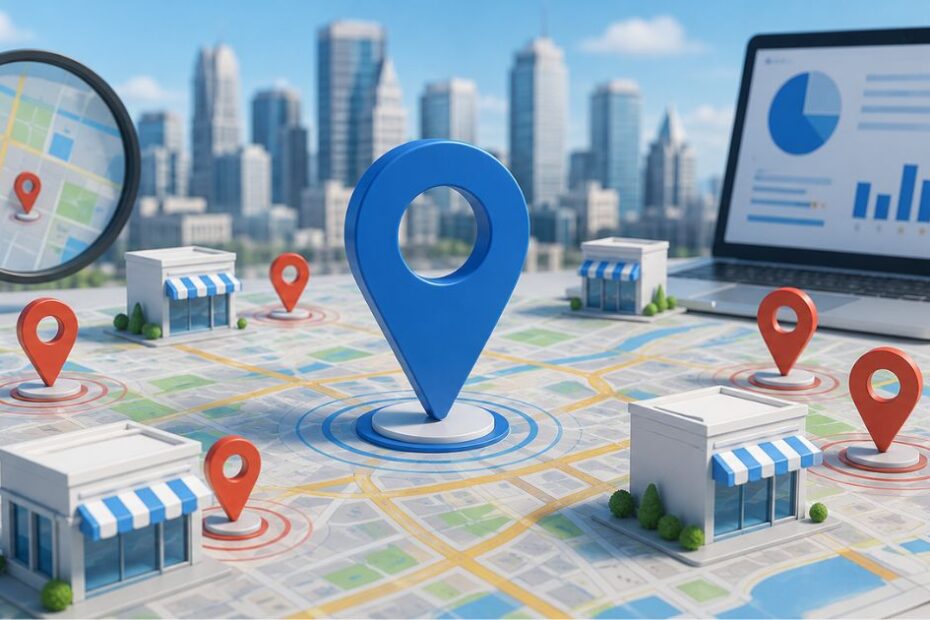
Local SEO for multiple locations means giving every single branch its own dedicated page, its own Google Business Profile, and its own unique content all connected under one consistent site structure. Skip any one of those three, and your locations start competing with each other instead of with your real competitors.
What Is Local SEO for Multiple Locations?
Local SEO for multiple locations is the process of optimizing each individual branch, store, or office of your business so it ranks in local search results for its own city or service area, not just your business as a whole.
It uses the same core principles as regular local SEO. The difference is scale. Instead of optimizing one address, you’re optimizing five, fifty, or five hundred and each one needs to look distinct, accurate, and locally relevant to both Google and the people searching near it.
Get this right, and a customer searching “plumber in Tempe” finds your Tempe location. Get it wrong, and Google can’t tell your five locations apart so it shows none of them.
Decision 1: Choosing Your Site Structure
Before you write a single word of content, you need to decide how your locations live on the internet. This is the foundation everything else sits on, and it’s the hardest one to change later.
You have three options: separate domains, subdomains, or subfolders.
A separate domain gives each location its own website (like yourbrandaustin.com). A subdomain keeps locations technically separate but loosely connected (austin.yourbrand.com). A subfolder houses every location inside one domain (yourbrand.com/locations/austin).
Domains vs. Subdomains vs. Subfolders
| Structure | Best For | Pros | Cons |
| Separate domains | Franchises where each owner controls their own brand | Full control over design and messaging per location | Splits your SEO authority across multiple sites; backlinks and rankings don’t combine |
| Subdomains | Businesses with a handful of semi-independent regional brands | Flexibility to run different platforms per location | Search engines often treat each subdomain as its own site, which limits ranking power |
| Subfolders | Most multi-location businesses, especially 5+ locations | Consolidates all backlinks and authority under one domain; easiest to scale and report on | Needs a clean URL plan up front to stay organized |
Does having multiple domains hurt SEO? Yes, in most cases. When your locations sit on separate domains, every backlink, every bit of domain authority, and every ranking signal gets divided instead of combined. A single subfolder structure under one domain consolidates that authority, which is why most multi-location businesses outside of true independent franchises perform better with yourbrand.com/locations/city-name than with five separate websites.
The exception: if each location is independently owned and run like its own business (common in franchising), separate domains can make sense for operational reasons, even at some SEO cost.
Read more: about building topical authority under one domain.
Decision 2: Building Location Pages That Actually Rank
Once your structure is set, your location pages do the heavy lifting. These are the pages that convert a search into a phone call or a visit and they’re also the pages search engines use to decide whether you actually serve that area.
What to Include on Every Location Page
A strong location page needs all of the following. Treat this as a non-negotiable checklist for every single branch:
- Business name, address, and phone number (NAP) exactly matching your Google Business Profile, every time
- Unique, location-specific content at least 2–3 paragraphs that mention the neighborhood, local landmarks, or region-specific services, not just the city name swapped in
- Embedded map for quick directions and a strong trust signal
- Hours of operation specific to that branch
- Local team bios or staff names, where relevant a strong, low-effort E-E-A-T signal
- Location-specific testimonials or reviews
- A clear call to action phone number, booking link, or contact form
- LocalBusiness schema markup (covered in detail below)
How to Avoid Duplicate Content Across Locations
This is where most multi-location strategies quietly fail. Swapping out the city name on an otherwise identical template isn’t a location page it’s a duplicate page with a different label, and Google treats it that way.
Use this 3-Layer Differentiation Method to keep every page unique without rewriting from scratch each time:
- Layer 1 Structural variation. Vary the order of sections, headlines, and which services get emphasized first based on what that specific location actually does best or sells most.
- Layer 2 Local specificity. Reference real neighborhoods, nearby landmarks, local partnerships, or regional terminology. A roofing company in Phoenix should talk about monsoon-season roof damage; one in Minneapolis should talk about ice dams.
- Layer 3 Local proof. Pull in location-specific reviews, a local team member’s name, or a community event the branch sponsored. This is the layer competitors skip most often, and it’s the easiest to make ownable.
Applying all three layers and even fifty location pages built from one template will read as genuinely distinct both to a human visitor and to Google’s algorithms.
Decision 3 Managing Google Business Profiles at Scale
Your website tells the story. Your Google Business Profile (GBP) is what actually shows up in the map pack and for most local searches, that’s where the click happens first.
One Account, Many Profiles
You can manage every location’s profile from a single GBP account, but each location still needs its own individual listing. Never consolidate multiple branches into one profile; Google needs to see each address as a distinct, verifiable business location.
For each profile, keep these consistent across every branch while still tailoring the specifics:
- Primary category should match what that specific location actually does most. A business with a showroom in one city and a repair-only operation in another shouldn’t use the same primary category for both.
- Secondary categories add detail don’t pad the list. Over-categorizing dilutes your local relevance signals rather than strengthening them.
- Services list should reflect exactly what’s available at that branch, since capabilities can genuinely vary by location.
- Photos and posts should be unique per profile and updated regularly. Profiles that go untouched for a month or more commonly see a measurable drop in visibility.
How Do I Optimize My Google Business Profile for Multiple Locations?
Create one verified GBP per location with accurate, location-specific hours, categories, and services. Link each profile to its own unique website page rather than a shared homepage. Then keep every listing active, new photos, regular posts, and prompt review responses signal to Google that each location is genuinely open and operating.
The 2026 Shift AI Overviews and Entity Matching

Local SEO’s three classic ranking factors relevance, distance, and prominence haven’t gone away. But what counts as “relevance” has changed.
Google no longer just matches keywords on a page. It increasingly evaluates entity matching: how accurately your business profile, your website, and your reviews all describe the same thing, consistently, across your entire footprint.
That has a direct, practical consequence. When a Google Business Profile is missing details, a service that isn’t listed, a menu that isn’t uploaded, a facility that isn’t described, AI-driven search features will pull that missing information from public reviews instead. In other words, incomplete profiles don’t just rank worse; they let your customers’ reviews define your business for you, for better or worse.
For lower-traffic or lower-revenue locations that don’t get the same attention as your flagship branches, the minimum acceptable standard now includes a complete, unique LocalBusiness schema block and a verified, accurate services list. Skipping this on “smaller” locations to save time creates exactly the kind of thin, inconsistent profile that both users and AI search features will quietly route around.
Schema Markup for Multi-Location Businesses
Schema is the structured code that tells search engines exactly what’s true about each location and it’s one of the most commonly half-finished pieces of multi-location SEO.
Required fields for every location page: business name, full physical address, local phone number, hours of operation, and precise geo-coordinates (latitude and longitude). Each location needs its own schema block, never one shared block for the whole company.
LocalBusiness vs. Organization schema: This is the mistake to watch for. The organization schema belongs on your homepage, describing the company as a whole. Each individual branch page should use LocalBusiness schema, or a more specific subtype where one exists (think AutomotiveBusiness, MedicalBusiness, Restaurant). Using Organization schema across every location page muddies the signal and makes it harder for Google to tell your branches apart.
The sameAs property is worth calling out specifically: add it to link your location page directly to that location’s verified Google Business Profile URL. It’s a small line of code that does a lot of work connecting your website’s claims to Google’s existing, verified understanding of that business entity.
Explore Our: Local SEO for Multiple Locations Business Guide
Citations, NAP Consistency & Reviews at Scale
Local citations are mentions of your business on platforms like Yelp, Bing Places, Apple Maps, and industry-specific directories. Search engines cross-reference these listings to confirm your locations are real and accurately described.
The rule that matters most here: your NAP (Name, Address, Phone number) must be identical, character for character, across your website, your GBP, and every citation. A single inconsistent phone number or an old suite number left on one directory can quietly suppress rankings and it’s one of the most common, most overlooked technical issues in multi-location SEO.
Reviews carry double weight for multi-location businesses. They build trust with customers, and as covered above they increasingly fill in gaps when your own profile data is incomplete. A location with one comprehensive review and a thoughtful owner response signals more trustworthiness than ten generic five-star ratings with no engagement. Build a simple, repeatable process: request reviews after every transaction, and assign someone to respond to every single one, at every location, within a few days.
Tracking Performance Location by Location
Treating all your locations as one performance number hides exactly where you’re losing visibility. Track rankings, organic traffic, and conversions per location, not just in aggregate, using Google Search Console (filtered by location page) and Google Analytics.
This location-by-location view is what lets you catch a single underperforming branch, a missing schema block, a stale GBP, a duplicate-content issue before it drags down how Google perceives your entire portfolio of locations.
A simple monthly cadence works for most multi-location businesses: pull organic traffic and keyword rankings per location page, check GBP insights (calls, direction requests, profile views) per profile, and flag any location whose numbers drop sharply against its own historical baseline not against your top-performing flagship branch, which isn’t a fair comparison. Use SEO tools like Ahrefs to monitor rankings and surface technical issues across your full location portfolio.
Common Mistakes That Quietly Tank Multi-Location Rankings

A few mistakes show up again and again across multi-location businesses, and most of them are easy to fix once you know to look for them.
Doorway pages. Creating a thin page for every nearby town just to capture more searches without a real local presence, unique content, or genuine service there is the fastest way to get flagged. Google’s systems are built to detect exactly this pattern, and the penalty applies site-wide, not just to the offending pages. Only create a location page for places you genuinely serve.
Keyword stuffing. Repeating “[service] in [city]” unnaturally throughout a page doesn’t help rankings anymore it signals spam. Use the city name naturally, once or twice, the way an actual local resident would write it.
One phone number for every location. A single centralized number across all branches makes it harder for Google to tie a profile to a specific, physical place. Use a local number for each location wherever possible.
Letting low-traffic locations go stale. It’s tempting to focus all your attention on your best-performing branches. But a neglected profile or page at a smaller location doesn’t just hurt that one branch inconsistent quality across your portfolio can soften how Google perceives your brand’s overall trustworthiness.
Conclusion
A successful local SEO strategy for multiple locations goes beyond simply creating separate location pages. It requires consistent business information, optimized Google Business Profiles, localized content, strong local citations, and ongoing performance tracking. By following these best practices, businesses can improve local search visibility, attract more qualified customers, and drive sustainable growth across every location in 2026 and beyond.
FAQs
How do I target multiple cities with SEO?
Create a dedicated, unique page for each city with city-specific keywords, services, and content, never a single page trying to rank for several cities at once. Each page needs accurate NAP information and its own LocalBusiness schema.
Does having multiple domains hurt SEO?
Generally, yes. Spreading your locations across separate domains divides your backlinks and authority instead of combining them. A single domain with subfolders for each location typically ranks better and is easier to manage at scale.
How do I optimize my Google Business Profile for multiple locations?
Create one verified profile per location with accurate, location-specific categories, services, and hours. Link each to its own unique webpage, and keep every profile active with regular photos and posts.
What should I include on each location page to improve rankings?
Unique NAP details, location-specific content, an embedded map, local team or testimonials, a clear call to action, and a dedicated LocalBusiness schema block. Avoid simply swapping the city name into a shared template.