
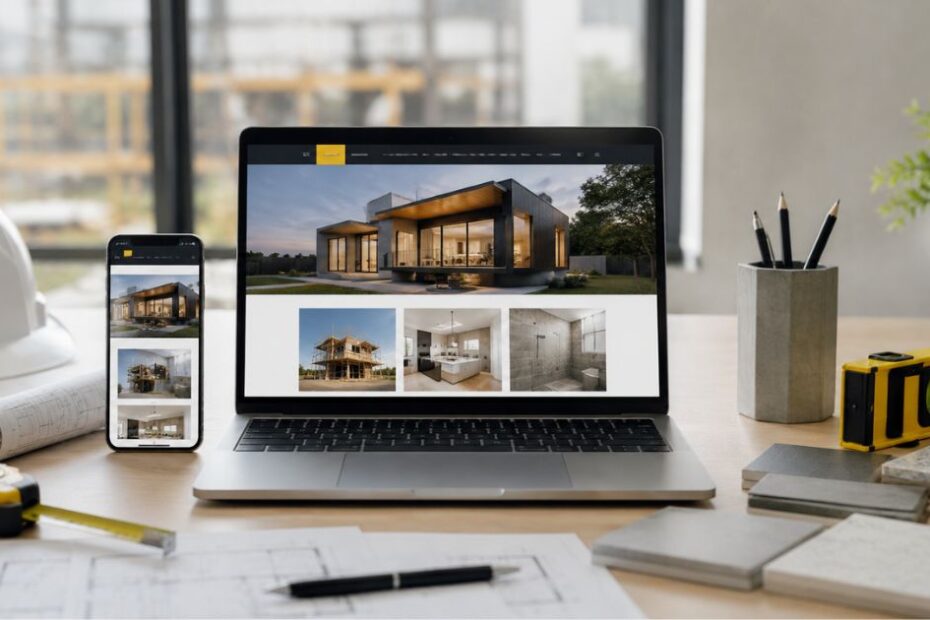
Web design for contractors means building a mobile-friendly site with a clear portfolio, testimonials, service pages, and strong calls-to-action priced anywhere from $500 for a DIY template to $15,000+ for a custom agency build. Most small to mid-sized contractors land between $1,000 and $10,000 for a site that actually generates leads, plus $50–$500/month in ongoing hosting and maintenance.
What Makes a Contractor Website Actually Work
A contractor website isn’t a brochure. It’s a 24-hour sales tool that either builds trust in the first few seconds or loses the visitor to a competitor’s tab.
Here’s what separates a site that converts from one that just sits there:
- Mobile-first, responsive design. Most contractor site traffic now comes from phones often from someone standing in their driveway looking at storm damage. If your site doesn’t load fast and look clean on a phone, that visitor is gone. This is one of the core pieces of proper web design and development for any service business.
- A real project gallery. Before-and-after photos of your actual jobs, not stock images. This is the single biggest trust signal on a contractor site.
- Dedicated service pages. One page per service (roofing, kitchen remodels, waterproofing, etc.) instead of one crowded page. This helps visitors and helps you rank for more searches.
- Clear, repeated calls-to-action. “Get a Free Quote” or “Call Now” buttons should appear on every page, not buried at the bottom.
- Testimonials and reviews, prominently placed. Homeowners are managing risk on a big-ticket purchase. Third-party proof does more convincing than your own copy ever will.
- Visible contact information. Phone number clickable on mobile, on every page, no scavenger hunt required.
- Fast load times. A slow site doesn’t just frustrate visitors it actively hurts your search rankings.
Each of these earns its place because it maps to a specific moment of doubt a homeowner has before they call you.
The Trust-Build Framework
Most contractor websites are built around what the contractor wants to say. The stronger approach is building around what the visitor needs to believe before they’ll pick up the phone.
Here’s a simple four-part framework worth applying to any contractor site:
- Prove it. Real photos, real project details, real numbers (years in business, jobs completed, service area).
- Explain it. A plain-English breakdown of your process, from first call to final walkthrough, so there are no surprises.
- Back it. Licenses, insurance, certifications, and warranty information stated clearly, not buried in fine print.
- Simplify it. One obvious next step on every page. Not five options. One.
Run any page of your site through those four questions, and gaps in trust become obvious fast. This isn’t a universal industry term think of it as a working checklist you can apply and adapt to your own brand.
How Much Does a Contractor Website Cost?
This is the question every contractor asks first, and it’s also where a lot of guides go vague. Here’s a straight breakdown based on the current market:
| Build Path | Typical Cost Range | What You Get | Best For |
| DIY builder (Wix, Squarespace) | $200–$600/year | Template-based site, limited customization, you do the work | Very tight budgets, solo operators comfortable with tech |
| Freelancer | $1,000–$3,000 one-time | Custom-designed WordPress site, faster turnaround, less structure/process | Contractors wanting a step up from templates without agency pricing |
| Specialized agency | $2,500–$15,000+ one-time | Full strategy, custom design, SEO structure, ongoing support | Contractors serious about lead generation and long-term growth |
On top of the build cost, budget $50–$500 per month for hosting, security, and maintenance regardless of which path you choose. Skipping this is one of the most common contractor mistakes: a site that looked great at launch and slowly breaks, slows down, or falls out of Google’s index because nobody’s maintaining it. If you want a deeper cost breakdown by market, our guide to web development in Fort Lauderdale walks through real pricing tiers and how to choose a provider.
One honest note on ROI: a $3,000 site for an established contractor with a strong reputation can generate leads within weeks. The same $3,000 site for a brand-new business may rank well but take longer to convert, simply because trust signals (reviews, project history) take time to build regardless of design quality.
WordPress vs. Wix vs. Squarespace Which Is Right for a Contractor?

All three platforms can produce a good-looking contractor site. The real differences show up in ownership, SEO control, and long-term flexibility.
| Platform | Best For | SEO Control | Ownership | Learning Curve |
| WordPress | Contractors who want full control and room to grow (service area pages, blog, schema markup) | Highest full technical SEO access | You own everything; portable to any host | Moderate to steep without a developer |
| Squarespace | Contractors who want a polished look with minimal setup | Moderate | You own content, but you’re renting the platform | Easiest of the three |
| Wix | Contractors who want maximum DIY flexibility and drag-and-drop control | Moderate | Similar to Squarespace content is portable, the site itself isn’t | Easy |
The practical takeaway: if you plan to build out multiple service-area pages for local SEO which matters enormously for contractors WordPress gives you the most room to do that well. If you’re going this route, it helps to understand what WordPress management actually involves before you launch, since an unmaintained WordPress site loses speed and security over time. If you just need a clean, simple site fast and don’t plan to scale content aggressively, Squarespace or Wix will get you there with less setup time.
How Long Does It Take to Build a Contractor Website?
A straightforward template-based site can go live in 1–2 weeks. A fully custom site with strategy, custom design, copywriting, and SEO structure typically takes 4–8 weeks from kickoff to launch, depending on how many service pages and service areas you need covered and how quickly you provide photos and feedback.
Do Contractors Really Need a Website If They Get Work From Referrals?
Referrals still matter, but they don’t replace a website they depend on one. When a referral looks you up before calling (and most do), an outdated or missing website undercuts the trust that referral just built. A website isn’t competing with word-of-mouth; it’s backing it up. It’s really just one piece of a bigger picture, which is why most contractors eventually build out a full digital marketing strategy that combines the website with local SEO, reviews, and paid ads.
Local SEO & Schema Markup for Contractors
A great-looking site that nobody finds isn’t generating leads. For contractors, local SEO carries more weight than almost any other industry because customers search by neighborhood, city, or service area. This section only scratches the surface, our full SEO for contractors guide breaks down the complete ranking process step by step.
Steps that move the needle:
- Claim and fully complete your Google Business Profile services, service areas, photos, and hours, kept current.
- Build dedicated pages for each service area you actually work in, not a single “areas we serve” list.
- Add LocalBusiness schema markup to your homepage so search engines can confidently associate your business with a name, address, phone number, and service area.
- Add FAQPage schema to any page with a real FAQ section this is one of the more reliable ways to get pulled into Google’s AI Overviews and featured snippets.
- Collect and display Google reviews consistently both for trust and because review volume/recency is a known local ranking factor.
Add FAQPage schema to any page with a real FAQ section, this is one of the more reliable ways to get pulled into Google AI Overviews and featured snippets.
None of this guarantees a specific ranking position local SEO results vary by competition and location but skipping it means competitors who do this consistently will out-rank you regardless of how good your site looks.
Mistakes That Cost Contractors Leads

- Using only stock photos. It signals generic and unproven, exactly the opposite of what a homeowner needs to feel before hiring you.
- No mobile optimization. Given how much contractor traffic is mobile, this alone can cut your leads in half.
- Buried contact information. If someone has to hunt for your number, they’ll call the next result instead.
- An outdated portfolio. A gallery that hasn’t been updated in years quietly tells visitors you might not be active anymore.
- Ignoring service-area pages. One generic “we serve the whole region” line does far less than individual pages built for each town or neighborhood you actually work in.
- No maintenance plan. A site left untouched after launch slowly loses speed, security, and search visibility.
Conclusion
A professional website is one of the most valuable marketing tools a contractor can invest in. From showcasing completed projects and customer reviews to generating qualified leads through local SEO and clear calls to action, the right web design can directly impact business growth. By choosing a platform that fits your budget, prioritizing mobile performance, and including essential trust-building features, contractors can create a website that attracts more customers and delivers long-term results in 2026. If you’re ready to get started, you can get a free quote from our team.
FAQs
What should a contractor website include?
At minimum: a homepage that clearly states what you do and where you work, dedicated service pages, a real project gallery, testimonials, visible contact information, and clear calls-to-action like “Get a Free Quote.”
How much does a contractor website cost?
Most small to mid-sized contractors spend $1,000–$10,000 for a professionally built site, plus $50–$500/month in ongoing hosting and maintenance. DIY builders can run as low as $200–$600/year but require your own time investment.
Is WordPress or Squarespace better for a contractor website?
WordPress offers more SEO flexibility and full ownership, making it the stronger long-term choice if you plan to build out local SEO content. Squarespace is faster to launch and easier for non-technical users who want a simpler setup.
How long does it take to build a contractor website?
A template-based build can launch in 1–2 weeks. A custom site with strategy, design, and SEO structure typically takes 4–8 weeks.
Do contractors need a website if most of their work comes from referrals?
Yes referrals typically check your website before calling, so an outdated or missing site can undercut the trust a referral already built for you.