
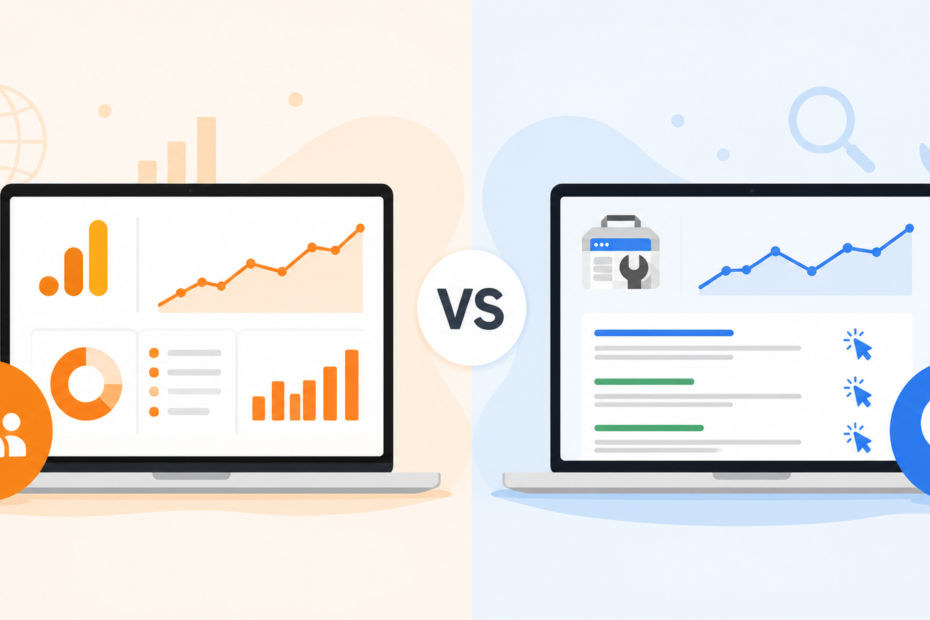
GA4 Sessions vs GSC Clicks are two important website performance metrics, but they measure different user actions. Google Search Console (GSC) Clicks count the number of times users click your website from Google Search results. Google Analytics 4 (GA4) Sessions measure visits to your website, starting when a user lands on your site and interacts with it. Because they track different stages of the user journey, the numbers rarely match exactly. Understanding the difference helps marketers, SEO professionals, and website owners analyze traffic more accurately and make better optimization decisions.
What Is the Difference Between a GSC Click and a GA4 Session?
Let’s define the two stars of the show, because most confusion starts right here.
A GSC click is one click on a Google Search result. It counts the moment someone taps your listing in Google’s results, whether that listing is a webpage, an image, a video, or something in News and Discover. It is search-side data, recorded by Google itself.
A GA4 session is a visit to your site, grouped into a window of activity. By default, that window lasts 30 minutes, and it starts when someone views a page or opens your app. It is site-side data, recorded by code on your pages.
See the difference? One counts the knock on your door. The other counts the visit inside your house. Here is a quick comparison.
| Metric | What it counts | Data source | Counting trigger | Common gotcha |
| GSC click | A tap on your Google Search listing | Google’s search side | User clicks a result in Search | Counts file and image clicks too |
| GA4 session | A visit grouped into a 30-minute window | Code on your website | Page view or app open | Needs cookies and JavaScript to fire |
Key point: They share a starting line but track different things, so the totals drift apart by design.
Why Are GSC Clicks Different From GA4 Sessions?

A 40% gap looks scary until you realize it is often just two tools doing their jobs. Most differences trace back to four buckets. Let’s open each one.
Consent, Cookies, and Privacy Limits
Privacy rules changed the game. Consent Mode v2 Google’s framework for handling user consent choices lets visitors say “no thanks” to tracking.
When someone declines, GA4 quietly removes their data. But GSC still logs the click, because search-side counting does not need a cookie. That alone can explain a big slice of your organic traffic discrepancy, especially for sites with lots of European visitors.
JavaScript and Ad Blockers
GA4 runs on JavaScript and tiny tracking tags on your pages. If those do not load, GA4 sees nothing.
Ad blockers and privacy browser settings can quietly block those tags. Meanwhile, GSC reads data straight from Google Search, so the click still counts. Result: GSC up, GA4 down.
Canonical URLs and Non-HTML Pages
GSC groups clicks under your canonical URL the single “official” version of a page you tell Google to treat as the master copy. That tidy grouping can shift where clicks appear.
GSC also counts clicks to non-HTML files like PDFs. GA4 usually does not track those, so it misses them entirely.
Session Rules and Re-clicks
Here is a sneaky one. If a visitor clicks your result, wanders off, and clicks again within 30 minutes, GA4 may fold all that into one session thanks to its session timeout rule.
GSC, on the other hand, can record more than one click. More clicks, fewer sessions.
Key point: Almost every gap you will ever see hides inside one of these four buckets.
When Does GSC Show More Clicks Than GA4 Sessions?
This is the most common direction of the mismatch. If your Search Console number is the bigger one, run through this checklist.
- Cookie banner declines visitors refuse tracking, so GA4 drops them.
- Ad-block traffic blockers stop the GA4 tag from firing.
- Missing tag on the landing page the page has no GA4 code, so the visit never registers.
- File and PDF clicks GSC counts these; GA4 skips them.
- Strict privacy regions heavy consent refusal widens the gap, like in much of Europe.
Key point: When GSC is higher, suspect lost tracking in GA4 first. That is the usual culprit behind why GSC clicks are higher than GA4 sessions.
Improve Your: SEO Performance
When Does GA4 Report More Sessions Than GSC Clicks?

Sometimes the scale tips the other way, and GA4 looks bigger. That feels backward, but it has clear causes. Check these.
- Non-Google organic sources GA4 counts organic visits from Bing, Yandex, and others, while GSC only reports Google.
- Double-firing tags a tag installed twice inflates session counts.
- Misclassified UTMs a campaign link tagged as “organic” by mistake muddles your source and medium data.
- Combined multi-domain properties one GA4 property may merge several sites, while GSC stays split.
- Bot traffic fake visitors spoofing a Google referrer can sneak past GA4 filters.
Key point: When GA4 is higher, suspect configuration and source filtering before anything else.
How Do You Reconcile GA4 and GSC Data?
Most articles stop at “they’re different.” That leaves you stranded. Let’s actually fix it. Here is a simple framework for how to reconcile GA4 and GSC data.
- Match the date range and time zone. GSC is locked to Pacific Time, so align GA4 to match before you compare anything.
- Filter GA4 to Google organic only. This strips out Bing and other engines, so you are comparing apples to apples.
- Compare sessions to clicks. Not users. Not page views. Those are different animals.
- Quantify the expected gap for your region. US-heavy traffic usually aligns more tightly than privacy-heavy regions.
- Document your accepted variance. Write down what “normal” looks like, so future you stops panicking over a healthy gap.
Here is the same idea as a quick reference table.
| Step | Tool | Setting to align | Why it matters |
| 1 | Both | Date range and time zone | Removes false gaps from mismatched dates |
| 2 | GA4 | Filter to Google / organic | Compares the same traffic source |
| 3 | Both | Sessions vs clicks | Compares the closest two metrics |
| 4 | Both | Regional gap estimate | Sets realistic expectations |
| 5 | Both | Documented variance band | Turns “mystery” into “within range” |
Key point: A little alignment work shrinks scary “mystery gaps” into boring, explainable ones. That is exactly what you want.
When to Trust Each Platform
So which tool wins? Neither, and both. The trick is matching the question to the tool that owns the answer. Here is a fast guide for which tool to trust for SEO reporting.
| Use case | Trust GSC | Trust GA4 | Why |
| Keyword and query data | Yes | No | Only GSC shows search queries |
| Click-through rate (CTR) | Yes | No | CTR and impressions live in GSC |
| Landing page discovery | Yes | Partly | GSC ties pages to search demand |
| On-site behavior | No | Yes | GA4 tracks what users do after arrival |
| Conversions and revenue | No | Yes | GA4 handles conversion tracking |
| Channel mix | No | Yes | GA4 shows all traffic sources |
So when someone asks about CTR, impressions, or organic search traffic by query, point to GSC. When they ask about behavior, attribution, or sales, point to GA4.
Key point: Pick the tool that owns the metric you are reporting. Do not pick the bigger number because it looks nicer.
A Common Discrepancy Diagnosis Workflow
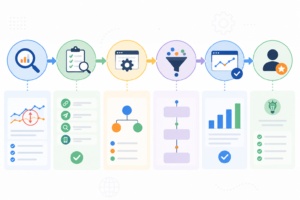
When a reporting discrepancy suddenly spikes, you need a calm, ordered way to hunt down the cause. Work top to bottom, and stop when you find the leak.
- Confirm you’re comparing sessions vs clicks. If you accidentally used page views, fix that first half of all “bugs” disappear here.
- Check your GA4 source filter. If it includes all organic engines, narrow it to Google only.
- Audit tag firing on the affected page. If the GA4 tag is missing or double-firing, that explains the swing.
- Review consent banner acceptance rates. If acceptance dropped, GA4 sessions will drop too.
- Inspect for bot or spoofed referrer spikes. If a sudden flood of “Google” visits appeared, suspect bot traffic.
- Verify your property scope. If GA4 merges several domains but GSC does not, the totals will never line up.
Key point: Start with the definition, then move toward configuration. The fix is usually closer to the top of this list than you think.
Reporting the Gap to Stakeholders and Clients
Here is the part nobody warns you about. The hardest part is not the data. It is explaining the data to a boss or client who expects two numbers to match.
A few moves that save you every time:
- Set expectations early. Mention the gap before the first report, not after the first complaint.
- Report each metric in its native tool. Clicks from GSC, sessions from GA4. Do not blend them.
- Show trend lines, not raw totals. A rising trend in both tools tells a clearer story than two stubborn numbers.
- Define an accepted variance band. Agree on what “normal” looks like up front.
Here is a copy-ready line you can paste into any report:
“GSC clicks and GA4 sessions measure different stages of the visit, so a gap is expected. Both trends are moving in the same healthy direction, which is what matters for performance.“
Key point: Managing expectations beats chasing a perfect match. You will never win the “make them equal” game, so do not play it.
What 50%+ Discrepancies Taught Us in the Field
On global sites with strict consent requirements, we have watched the GA4 vs GSC gap balloon past 50% almost overnight after Consent Mode v2 rolled out. The clicks held steady in Search Console while GA4 sessions sank, purely because more visitors declined tracking.
The panic was real. But once we segmented by country, the story made sense: regions with tough privacy laws drove nearly all the loss, while US traffic stayed far closer.
Three lessons stuck with us:
- Privacy-heavy regions widen the gap. Always check country-level data before you sound the alarm.
- Behavioral modeling helps, but only partly. GA4 fills some gaps for unconsented users, yet it cannot fully replace lost data.
- Trend consistency beats parity. If both tools rise and fall together, your data is healthy, even with a big gap.
Key point: Seasoned analysts measure direction and consistency, not a perfect match. That mindset shift changes everything.
Conclusion
GA4 Sessions and GSC Clicks serve different purposes and should not be compared as identical metrics. GSC Clicks show how many users clicked your website from Google Search, while GA4 Sessions track actual visits and user activity on your site. Using both metrics together provides a clearer picture of search performance, website engagement, and overall digital marketing success.
FAQ
Should GA4 sessions match GSC clicks?
No, and you should not expect them to. They count different stages of a visit, so a gap is normal. Aim for trends that move together, not identical numbers.
Which is more accurate, GA4 or Google Search Console?
Neither, because they are not measuring the same thing. GSC is accurate for search clicks, impressions, and queries. GA4 is accurate for on-site behavior and conversions. Each one wins in its own lane.
Why is GA4 showing higher organic traffic than GSC?
Usually it counts organic visits from non-Google engines like Bing, or it is catching double-fired tags. Misclassified UTMs and bot traffic spoofing a Google referrer can also inflate GA4 sessions. Check your source filter and tag setup first.
Can cookie consent affect GA4 session counts?
Yes, and it is one of the biggest factors today. When visitors decline tracking under Consent Mode v2, GA4 removes their data. GSC still logs the click, so your sessions look lower by comparison.
How do I compare GA4 and GSC data correctly?
Align your date range and time zone, since GSC is locked to Pacific Time. Then filter GA4 to Google organic only, and compare sessions to clicks, never page views or users. That setup gives you the fairest, closest match.